ReaddownMarkdown reader & Quick look preview for Mac
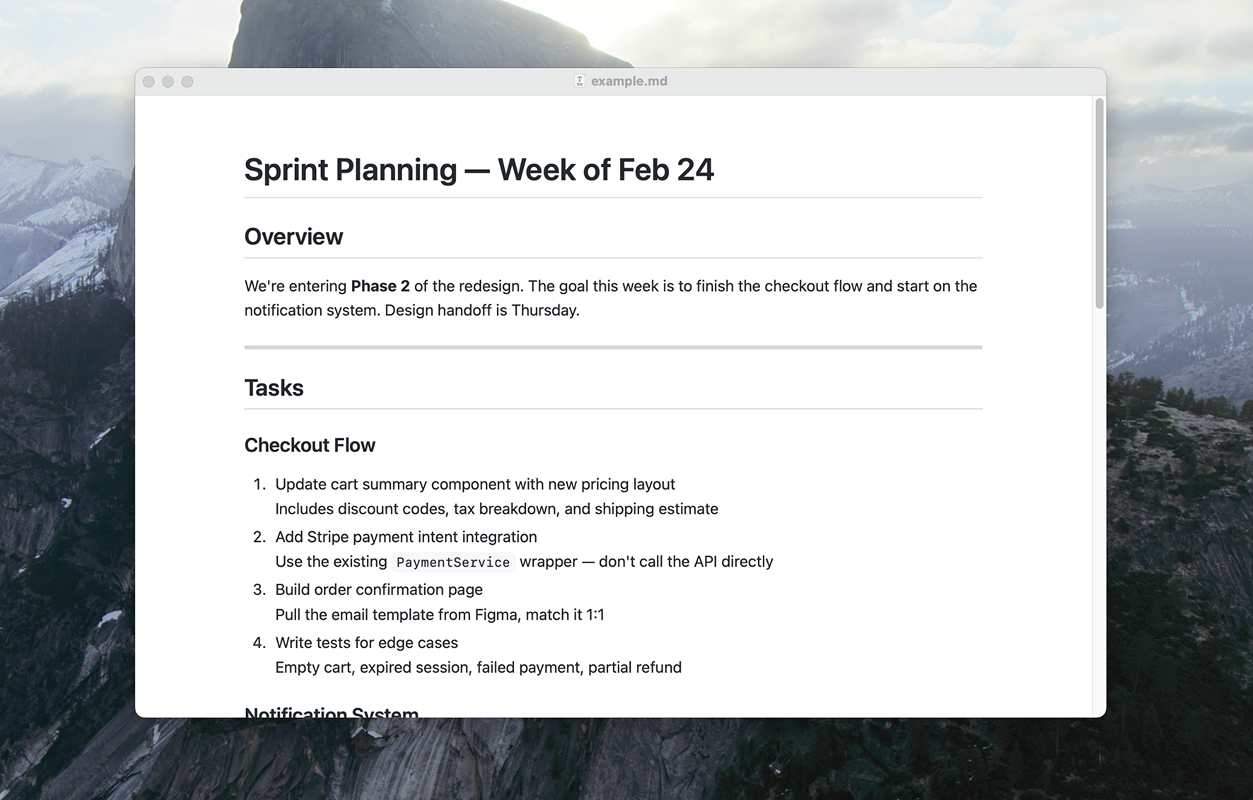
Stop opening .md files in Xcode, VS Code, or whatever your Mac defaults to. Double-click to read, spacebar to preview. Nothing more.
Download for MacRequires macOS 13 Ventura or later
Does one thing well.
-
Double-click to read
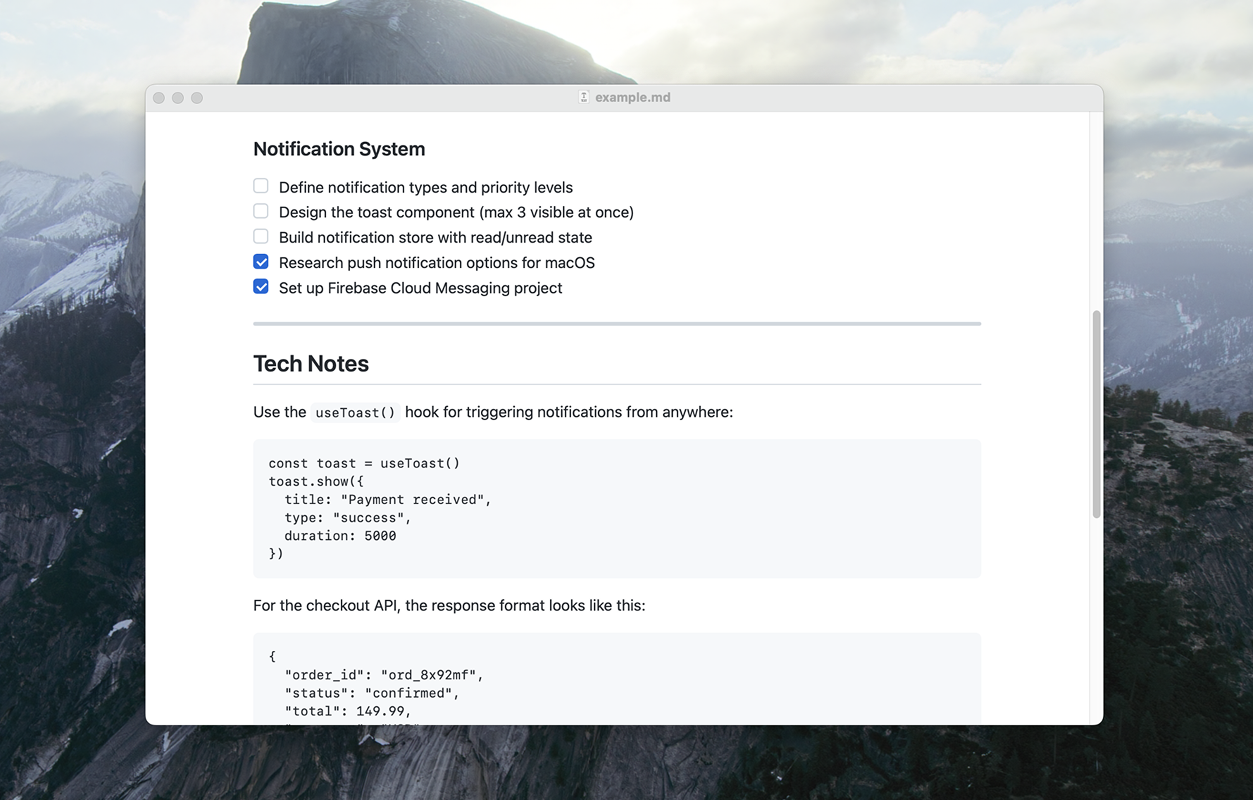
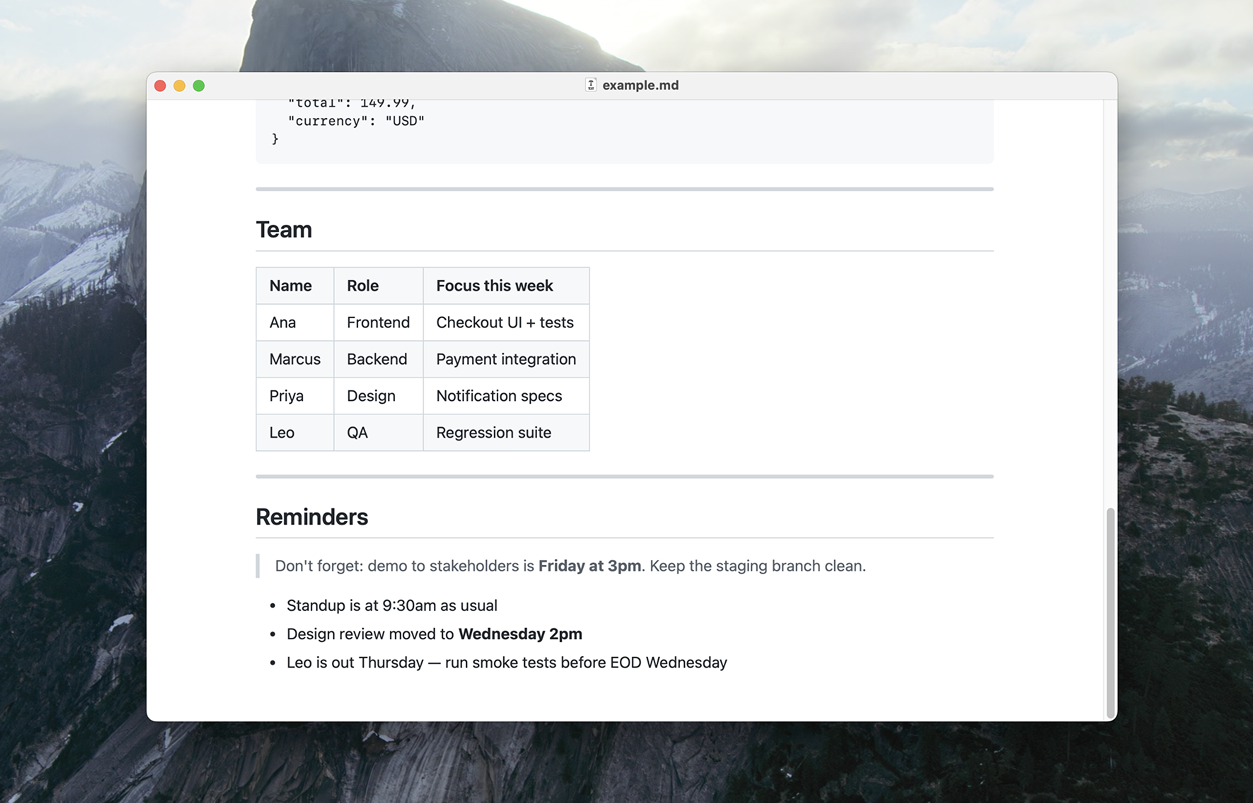
Opens .md files as rendered documents. Read-only by design. No edits, no auto-formatting, your files stay untouched.
-
Spacebar to preview
Quick Look extension for Finder. Select any .md, press spacebar. Rendered markdown, not raw text.
- GitHub-style rendering
- Syntax highlighting
- Mermaid diagrams
- Dark mode
- Print & PDF export
- Native & lightweight
- Auto-updates
Setup
Get started in three clicks.
-
Install and open any .md file
Drag Readdown to Applications. On first launch, it offers to become your default Markdown reader.
-
Enable Quick Look
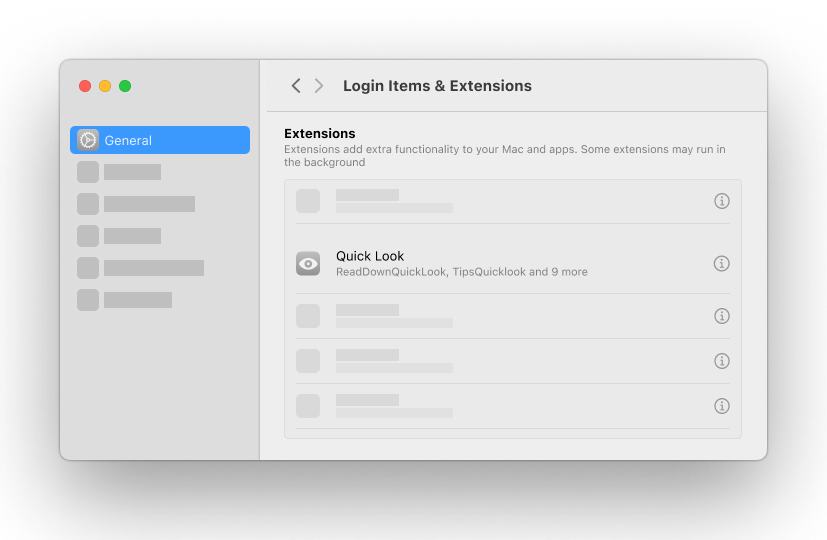
Readdown prompts you to enable Quick Look so you can preview .md files with spacebar in Finder. Click Open Extensions Settings to jump straight to Login Items & Extensions, then click ℹ︎ next to Quick Look.
-
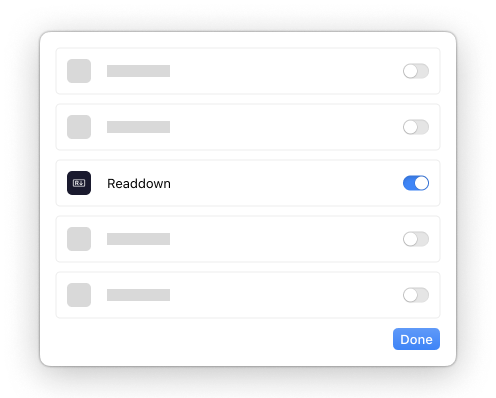
Toggle Readdown on
Switch Readdown on and click Done. Select any .md in Finder, press spacebar. Rendered.
Common Questions
-
Why is Quick Look showing raw text instead of rendered markdown?
The Quick Look extension needs to be enabled. Follow the setup steps above. If you just switched from another markdown previewer, relaunch Readdown. It resets the Quick Look cache on startup.
-
Why did Quick Look stop working after I removed another markdown app?
macOS needs to re-discover which extension handles markdown files. Quit and reopen Readdown. It automatically refreshes the Quick Look registry on launch. If that doesn't help, restart your Mac.
-
Which file types can Readdown open?
.md.markdown.mdown.mkd. All standard Markdown extensions. UTF-8, UTF-16, and Latin-1 encodings are detected automatically. -
How does syntax highlighting work?
Code blocks with a language name on the opening fence (e.g.
python,swift,json) are highlighted using that language. Blocks without a language are auto-detected from 19 common languages. For best results, always specify the language. -
Does Readdown support Mermaid diagrams?
Yes. Use
mermaidas the language on a fenced code block and it renders as a diagram. Flowcharts, sequence diagrams, pie charts, and more. Works fully offline. -
Can I edit files in Readdown?
No. Readdown is read-only by design. It never modifies your files. Use your favorite editor to write, Readdown to read.
-
How do I search within a document?
Press ⌘F (or Edit → Find…) to open the find bar. ⌘G jumps to the next match, ⇧⌘G to the previous, Esc closes it. The match counter shows your position (“3 of 17”).
-
How do I make Readdown my default markdown app?
Readdown asks on first launch. You can also right-click any .md file in Finder → Get Info → Open With → select Readdown → Change All.
-
"Set as Default" didn't work — what happened?
Update macOS to 26.4+ or set Readdown as default manually: right-click any .md file in Finder → Get Info → Open With → Readdown → Change All.
-
Does Readdown update automatically?
Yes. Readdown checks for updates in the background via Sparkle. You can also check manually from Readdown → Check for Updates.
-
How do I report a bug or request a feature?
Open an issue on GitHub, or use Help → Send Feedback in the app.
What's new
-
1.10 April 2026
- Fluid layout — documents reflow as you resize the window
- Window cascading when you open multiple files
- Zoom in / out / reset (Cmd +, Cmd -, Cmd 0), pinch and Cmd-scroll to zoom
- Find in document (Cmd+F) with live match counter
- Autolinks, HTML entities, and URLs with parens now render correctly
- Soft line breaks reflow naturally — no more source-width wrapping
- "Set as Default" prompts automatically on first launch
- PDF and print output preserves syntax highlighting, rules, and checkbox fills
-
1.9.3 April 2026
- Security hardening for HTML content in markdown files
- Smaller, more readable font in Quick Look previews
- Cleaner code block styling to match GitHub
-
1.9.2 April 2026
- Fix auto-update failing on some systems — if "Check for Updates" gave you an error, re-download here and future updates will work
-
1.9.1 April 2026
- Fix PDF export from the print dialog (Save as PDF, Open in Preview)
- Add Export as PDF (Cmd+Shift+E) with continuous or paginated layout
- Print-friendly styling for cleaner output
-
1.9 March 2026
- Mermaid diagram support, fully offline
- Print support with Cmd+P
-
1.8.2 March 2026
- Auto-detect syntax highlighting for code blocks without a language tag
- Set as Default now covers .md, .markdown, .mdown, and .mkd
-
1.8.1 March 2026
- Fix runaway memory usage from highlight.js auto-detection
- Cache rendered HTML, pre-compile regex patterns
- Tilde fence support
-
1.8 March 2026
- Syntax highlighting for fenced code blocks
- Automatic updates via Sparkle
Older releases
-
1.6 March 2026
- Welcome screen with Quick Look setup guide
- Better list rendering
-
1.5 March 2026
- Fixed launch crash
- Added public.markdown UTI support
-
1.4 March 2026
- HTML passthrough
- Multi-encoding support (UTF-16, Windows-1252, Latin-1)
- URL safety improvements
- Base URL support for relative paths
-
1.3 March 2026
- Fix Quick Look extension for macOS 15
-
1.2 March 2026
- Improved first-launch experience
- Fixed Settings deep link for Extensions pane
-
1.1 February 2026
- Welcome sheet on first launch
- Quick Look preview extension
- Styled DMG installer
-
1.0 February 2026
- Initial release